Struggling with work-life balance? Discover how digital workplace tools boost productivity, collaboration, and well-being. Learn practical strategies to regain control—read now!
- Is your “always-on” job bleeding into your evenings and weekends?
- Struggling to keep up with deadlines, meetings, and personal life all at once?
- Here’s the truth — work doesn’t have to take over your life. With the right Digital Workplace Tools, you can reclaim your time, boost productivity, and finally enjoy the balance you deserve.
Summary at a Glance
Digital Workplace Tools are software platforms that streamline tasks, communication, and well-being in modern work. They boost productivity, foster collaboration, and promote a healthy work-life balance.
This guide explores the best tools, practical strategies, real stories, and a checklist to help you use them wisely—so you leave work at work and live life on your terms.
| Area | Tools That Help |
| Productivity | Task management, time tracking |
| Collaboration | Employee feedback tools, cloud storage, and LMSs |
| Well-being | Wellness apps, flexible scheduling tools |
| Implementation | Employee feedback tools, cloud storage, LMSs |
| Admin & Operations | Benefits software, rotation tracking |
Goal: Unlock the power of Digital Workplace Tools to embrace balance, avoid burnout, and work smarter — not harder.
What Are Digital Workplace Tools?
Digital Workplace Tools are apps and platforms that help individuals and teams perform daily tasks more effectively in a virtual work environment.
These tools support everything from:
- Task tracking
- Communication & collaboration
- Project coordination
- Employee well-being
- HR and administrative tasks
I often hear friends say, “I can’t disconnect from work!” That used to be me, too. But once I built a toolkit tailored to my responsibilities and personal life, the difference was like night and day.
Benefits of Digital Workplace Tool
- Increased Productivity
- Stay organized, track tasks, and reduce time spent on repetitive processes.
- Better Communication
- Break down silos using messaging and video tools for real-time collaboration.
- Improved Work-Life Balance
- Utilize reminders, effective time management, and wellness trackers to stay focused and on track at work.
- Enhanced Team Engagement
- Tools keep remote or hybrid teams aligned, involved, and connected.
Boosting Productivity with Digital Workplace Tools
Task Management Digital Workplace Tools for Enhanced Productivity
When tasks pile up, stress spikes. Task management tools organize chaos into clarity.
Why they matter:
- Turn overwhelming to-do lists into step-by-step plans.
- Reduce time wasted searching for files or assignments.
- Let you see what’s urgent vs. what can wait.
Top Tools:
- Trello—Visual boards for simple projects.
- Asana – Great for team workflows with deadlines.
- Microsoft To Do—Minimalist for personal task tracking.
Numbered Strategies to Use Them Effectively:
- Plan daily in 10 minutes. Start each morning by dragging tasks into “Today” in Asana. Action: Set a daily reminder at 8:30 AM.
- Break big tasks into micro-steps. A report becomes: Research → Outline → Write → Edit. Action: Use subtasks in Trello cards.
- Set “no-task” hours. Block time for breaks or family. Action: Label these slots in your calendar (e.g., “Family Dinner—No Work”).
My friend Lisa, a marketing manager, used to work until 9 PM daily. After adopting Asana, she schedules all work tasks by 10 AM. Now she leaves at 5 PM for her kids’ soccer games. “I feel in charge, not chased,” she says.
Time Tracking Digital Workplace Tools for Better Time Management
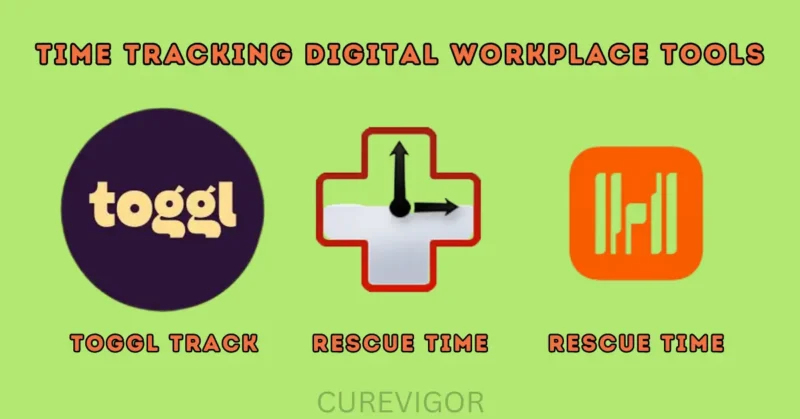
Time slips away unnoticed. Tracking it builds awareness—and freedom.
Why they matter:
- Show where hours actually go (spoiler: it’s often email!).
- Help you bill clients accurately (if you’re a freelancer).
- Reveal time sinks so you can cut them.
Top Tools:
- Toggl Track – Simple timer for tasks.
- RescueTime – Runs in the background and reports habits.
- Harvest – For teams needing billing + time logs.
Strategies to Use Them Effectively:
- Track for 3 days first. Don’t jump in full-time. Action: Install Toggl and click it when starting any work task.
- Set weekly “time budget” limits. E.g., “Email: max 1 hour/day.” Action: Use RescueTime alerts when you exceed limits.
- Review every Friday. Ask: “Where did I lose time? How can I fix it?” Action: Export a report and spend 15 mins reflecting on it.
When I started freelancing, I worked 12-hour days without realizing it. Using Toggl, I saw that I spent 3 hours a day on emails. I switched to batch emailing (twice a day) and now finish work by 6 PM. My evenings are mine again.
Enhancing Collaboration with Digital Workplace Tools
Communication Digital Workplace Tools for Seamless Teamwork
Endless meetings and scattered chats create noise, not progress.
Why they matter:
- Cut down on “wait, what did they decide?” emails.
- Keep remote teams connected without burnout.
- Make communication intentional.
Top Tools:
- Slack – Quick chats, channels for topics.
- Microsoft Teams – Integrates with Office 365.
- Discord – Great for small creative teams.
Strategies to Use Them Effectively:
- Use “Do Not Disturb” modes. Set core hours when you’re unavailable. Action: Enable Slack status “Focusing until 3 PM.”
- Create “urgent-only” channels. Avoid a flood of non-critical pings. Action: Make a #urgent channel; all else goes to #general.
- Summarize long chats. Paste key decisions in channel notes. Action: Use Slack’s “pin message” feature.
My neighbor Raj’s team used to have 5+ daily Zoom check-ins. They switched to Slack updates + one 30-minute weekly video call. “Less meeting fatigue, more getting done,” Raj says. His wife now joins him for evening walks.
Project Management Digital Workplace Tools for Successful Projects
Projects fail when no one knows who does what.
Why they matter:
- Align everyone on goals and deadlines.
- Prevent duplicated work.
- Reduce last-minute panic.
Top Tools:
- Monday.com – Visual timelines for any project.
- ClickUp – All-in-one (tasks, docs, goals).
- Wrike – Best for large teams.
Numbered Strategies to Use Them Effectively:
- Assign one “owner” per task. No, “I thought you were doing it!” Action: In Monday.com, tag a person to each step.
- Set 3 clear milestones. E.g., Research → Draft → Launch. Action: Use ClickUp’s milestone feature.
- Update every morning in 5 mins. Quick check: “What’s blocked?” Action: Team lead shares a daily 1-sentence update in Slack.
Supporting Well-being with Digital Workplace Tools
Wellness Digital Workplace Tools for Employee Well-being
Stress and burnout hurt productivity—and lives. Wellness tools act as guardrails.
Why they matter:
- remind you to breathe, stretch, or take breaks.
- Provide mental health resources quietly.
- Show your company cares about you as a person.
Top Tools:
- Calm for Business – Guided meditations at work.
- Headspace for Work – Mindfulness in 5-minute slots.
- Wellable – Personalized well-being challenges.
Take Action:
- Introduce short daily wellness check-ins.
- Encourage use of mental health platforms.
- Celebrate “offline days.”
At my last job, we used Wellable. Every Thursday, I did 10 10-minute breaks. It stopped my back pain, and I left work calmer. Now I do it even at home!
Flexibility Digital Workplace Tools for Work-Life Balance
Flexibility means choosing when and where you work—not being glued to a desk.
Why they matter:
- Let parents attend school events.
- Enable “deep work” blocks without interruptions.
- Support remote or hybrid work without guilt.
Top Tools:
- Google Calendar – Block “focus time” or “family time.”
- Zoom – Reliable video calls from anywhere (café, home, park).
- Splitting Beaver – Schedule on/off work hours (for freelancers).
Flexible scheduling helps employees work when they’re most productive — and be present with family during other hours.
Numbered Strategies to Use Them Effectively:
- Color-code your calendar. Green = Work, Red = Personal. Action: In Google Calendar, set colors for each category.
- Work from a local café once a week. Change of scene = mental reset. Action: Pick a café with Wi-Fi; schedule 2 focused hours there.
- Set an “end-of-work” ritual. Shut laptop, log out of Slack. Action: When the calendar hits 6 PM, close all work tabs.
My friend Emma, a developer, uses Google Calendar to block “No-Meeting Wednesdays.” She codes from her backyard hammock. “I’m more productive, and I have energy for my book club at night,” she shares.
Implementing Digital Workplace Tools in Your Organization
Choosing the Right Digital Workplace Tools for Your Business
Not all tools fit all teams. Pick wisely to avoid waste.
Steps to Choose:
- List your pain points. “Too many emails? Missed deadlines?”
- Match the tool to the need.
- Task chaos? → Asana.
- Too many meetings? → Slack + fewer calls.
- Test free versions first.
Top 10 Must-Have Digital Workplace Tools (based on demand):
- Project management (Monday.com)
- Calendar and scheduling (Google Calendar)
- Messaging (Slack)
- Video conferencing (Zoom)
- Time recording (Toggl Track)
- Learning Management System (LMS) (Udemy Business)
- Employee feedback (Officevibe)
- Cloud storage (Google Drive)
- Benefits Administration Software (BambooHR)
- Rotating shift tool (When I Work)
Best Practices for Adopting Digital Workplace Tools
Tips:
- Involve your team in the selection.
- Offer training and onboarding.
- Start small and scale up.
- Set usage policies and expectations
Lisa, a manager I coached, rolled out project tools all at once. Her team was overwhelmed. Once she rolled back and introduced one tool per quarter, adoption improved 300%.
Practical Checklist: Your Digital Workplace Toolkit
Here’s everything you might need:
- Project Management: Trello, Asana, Monday.com
- Calendar & Scheduling: Google Calendar, Zoom Scheduler
- Messaging Apps: Slack, Teams
- Video Conferencing: Zoom, Google Meet
- Time Tracking: Clockify, Toggl
- Learning Management System (LMS): TalentLMS, Trainual
- Employee Feedback: Officevibe, 15Five
- Cloud Storage: Google Drive, Dropbox
- Benefits Admin: Gusto, BambooHR
- Rotating Schedules: When I Work, Rotana
Check off what you need—and what you’re missing.
Mistakes to Avoid
- Tool Overload → Don’t use five platforms when one will do.
- Ignoring Team Feedback → Don’t assume. Ask your people what helps them.
- No Training Provided → Never throw your team into a new tool blind.
- Not Setting Rules/Boundaries → Tools should support work-life balance—not extend work beyond hours.
4-Week Action Plan to Regain Balance
- Week 1: Audit your time (use RescueTime for 3 days). Identify the top 2 time sinks.
- Week 2: Pick a task tool (Asana/Trello). Plan daily tasks every morning.
- Week 3: Set “focus blocks” (9–11 AM) and “no-work” blocks (6–8 PM) in the calendar.
- Week 4: Add a wellness tool (Headspace). Do a 5-minute meditation daily. Track energy levels.
Your Action Plan to Start Today
- Audit your current setup.
- Identify weak spots (no project tracking? poor communication?)
- Choose 1–2 Digital Workplace Tools to solve them.
- Onboard your team
- Review the impact after 4 weeks
- Iterate, improve, expand.
Frequently Asked Questions on Digital Workplace Tools for Work-Life Balance
Q. What are digital workplace tools?
Digital workplace tools are software applications and platforms designed to support day-to-day work activities in virtual and hybrid environments.
These tools streamline communication, enhance collaboration, automate workflows, and improve productivity.
Examples include project management software, time tracking apps, messaging platforms, and cloud storage solutions.
They’re essential for enabling flexibility and maintaining efficiency in both remote and office-based setups.
By using digital workplace tools, businesses can ensure continuous operations and enable employees to enjoy more structured, less stressful workdays.
Q. What is the work-life balance in the modern workplace?
In today’s workplace, work-life balance refers to the capacity to keep a healthy distance between one’s personal and professional obligations.
With remote work and digital connectivity now commonplace, achieving balance means more than just working fewer hours—it’s about working smarter.
This includes flexible schedules, mental health support, and the use of digital tools to reduce overwork and improve time management.
Companies that promote work-life balance tend to see higher employee satisfaction, reduced burnout, and better long-term productivity.
Q. What kinds of digital tools are available for use in the workplace?
There’s a wide variety of digital tools designed to support different facets of work. Common examples include:
- Slack or Microsoft Teams for communication
- Zoom or Google Meet for video conferencing
- Asana or Trello for project management
- Google Drive or Dropbox for file sharing
- Toggl or Clockify for time tracking
- These tools help teams stay organized, connect seamlessly, and complete tasks more efficiently—especially in remote or hybrid work settings.
Q. What is a modern digital workplace?
A modern digital workplace is a technology-enabled environment where employees can collaborate, communicate, and complete tasks from anywhere.
It blends physical and virtual workspaces by leveraging digital workplace tools such as cloud platforms, communication apps, and task management systems.
The modern digital workplace supports flexible work policies, fosters productivity, and enhances employee experience.
By focusing on employee well-being and operational efficiency, it reflects the future of work—connected, agile, and people-centered.
Q. What are the 5 basic digital skills?
The 5 basic digital skills every modern worker should possess are:
- Digital communication – using email, chat, and video tools effectively
- Information literacy – finding and evaluating online information
- Online safety – understanding cybersecurity best practices
- Digital problem-solving – using tools to resolve common tech issues
- Using basic software – proficiency in apps like Word, Excel, and cloud platforms
- These skills form the foundation for thriving in a digital-first work environment.
Q. What are the 4 pillars of digital transformation?
The 4 core pillars of digital transformation are:
- Technology – implementing the right digital tools and platforms
- People – ensuring employee engagement, training, and adaptability
- Processes – rethinking workflows to support agility and innovation
- Data – leveraging insights, analytics, and automation for smarter decisions
- Together, these pillars guide organizations in modernizing their operations, enhancing customer and employee experiences, and staying competitive.
Final Thoughts
Digital workplace tools aren’t about more work—they’re about meaningful work that leaves room for life.
Better work and a better life are not mutually exclusive. We don’t have to sacrifice family dinners or burn the midnight oil to succeed.
I’ve seen teams thrive with the right tools — more productive, more connected, and much happier. You are not too busy — you just need better systems.
Let Digital Workplace Tools support you. One click at a time, they can help calm the chaos.
Ready to take back your time?
Start building your dream digital workspace today. Pick one digital workplace tool today, try Toggl Track for 10 minutes, or set a “focus block” in your calendar.
Small steps create big change. Your balanced life starts now.
If you found this helpful, share it with your team members who might be drowning in digital noise. Let’s create mindful, balanced workplaces together!
Read more Health and Balance articles.
You might like: