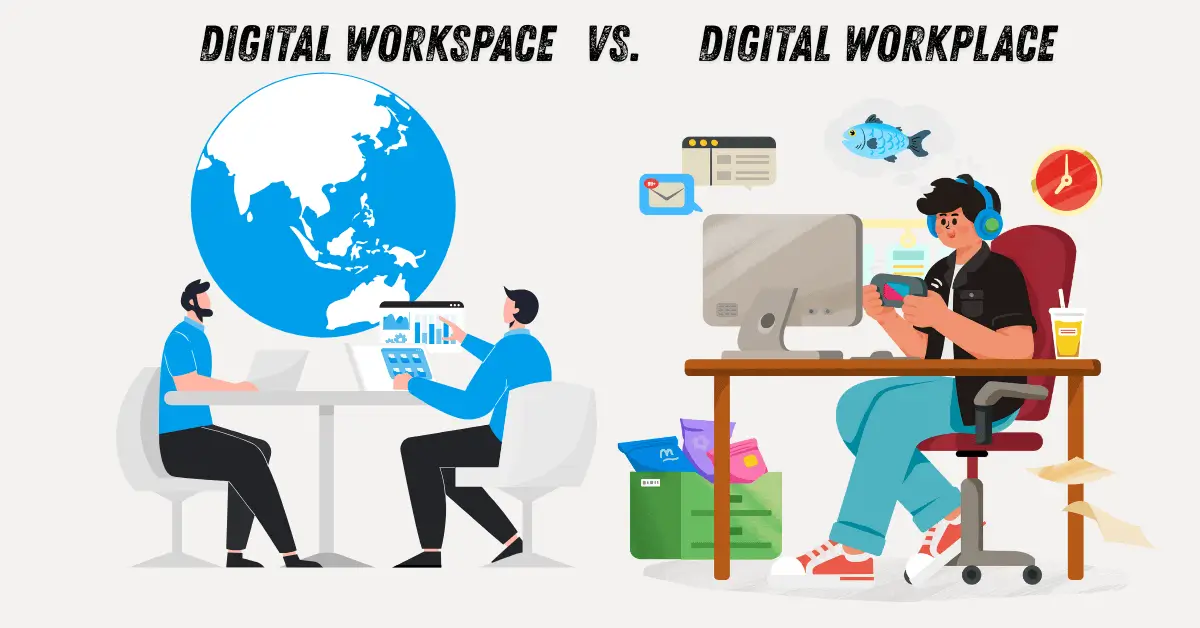
Are you tired of the constant buzzwords in the tech world? Does “digital workplace” sound exactly like “Digital Workspace” to you? You are definitely not alone.
These terms are often used interchangeably, causing them to blur into one concept. But understanding their real, authentic differences is crucial to setting your team up for genuine success, especially in today’s flexible work landscape.
| Summary Box |
| Digital Workspace vs. Digital Workplace |
| Digital Workplace: The entire ecosystem of technology, processes, and culture that enables work, regardless of location. Think of it as the ‘why’ and ‘how’ of modern work infrastructure. |
| Digital Workspace: The specific set of tools and platforms an individual employee uses to perform their daily tasks. Think of it as the ‘what’ an employee logs into every morning. |
| Key Difference: The Workplace is the holistic strategy; the Workspace is the tangible toolset. |
Defining Digital Workplace and Digital Workspace
Let’s peel back the layers gently. I remember when my team first started shifting to remote work. We bought new video conferencing software and thought, “Great, we have a digital workplace!”
It took us six months to realize we were missing the cultural shift. It’s easy to confuse the parts with the whole.
What is a Digital Workplace and How Does it Work?
The digital workplace is big-picture thinking. It’s the comprehensive strategy. It involves technology, yes, but also culture, policies, and the overall environment that support flexible, connected work.
Think of it like this: If your company is a physical city, the digital workplace is the city planning, the roads, the zoning laws, and the community spirit. It’s everything that makes the city function efficiently for its residents (employees).
Key Components of a Digital Workplace:
- Strategy: Defining why and how people should work flexibly.
- Culture: Encouraging trust, asynchronous communication, and digital etiquette.
- Infrastructure: The underlying network, security, and integration capabilities.
- Employee Experience (EX): Ensuring the employee’s overall journey feels supported.
For example, when we transitioned to a fully remote model, implementing a robust digital workplace meant more than just signing up for Slack.
It meant creating clear documentation of response times, hosting virtual “water cooler” sessions to maintain social bonds, and training managers to lead distributed teams.
That holistic approach defines the digital workplace.
What is a Digital Workspace and Its Key Features?
The Digital Workspace focuses squarely on the employee interface—the specific applications and access points they use daily to get their job done.
It’s the digital equivalent of your physical desk, chair, and computer.
This is where productivity tools live. It emphasizes personalization, accessibility, and ease of use for the individual task.
Key Features of a Digital Workspace:
- Unified Access: A single sign-on (SSO) portal for all necessary applications.
- Core Productivity Tools: Email clients, document management systems (like SharePoint or Google Drive), and communication apps (like Teams or Zoom).
- Device Agnostic: Ensuring a seamless experience whether on a laptop, tablet, or mobile phone.
- Automation: Tools that automate repetitive tasks for that specific role.
My own Digital Workspace on a typical Tuesday includes my project management dashboard (Asana), my communication hub (Slack), and my document repository (OneDrive).
If one of those tools isn’t working smoothly, my ability to complete my tasks is immediately blocked. That’s the focus of the Digital Workspace.
Key Differences Between Digital Workplace and Digital Workspace
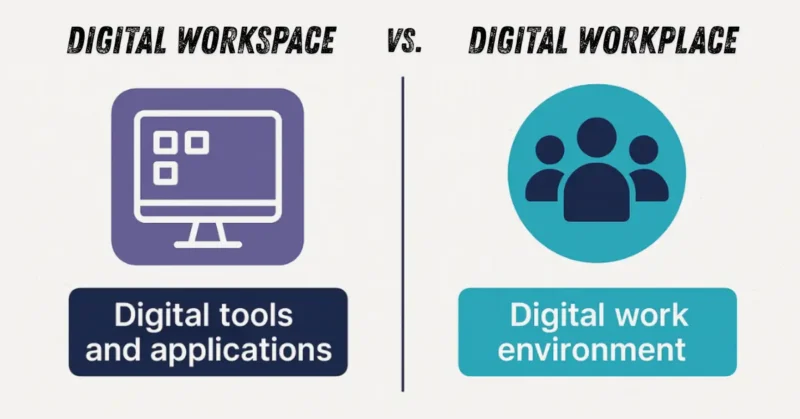
Understanding the contrast here is like knowing the difference between building a whole house (Workplace) versus installing the specific light fixtures inside (Workspace). Both are essential, but one sets the foundation for the other.
Scope and Focus of Digital Workplace vs. Digital Workspace
The difference in scope is perhaps the most critical distinction we need to grasp for effective planning.
| Feature | Digital Workplace | Digital Workspace |
| Scope | Holistic and organization-wide. | Individual and task-focused. |
| Focus | Culture, Strategy, Process Integration, Security. | Tools, Applications, User Interface, Access. |
| Goal | Transformation of how work gets done. | Efficiency in executing specific tasks. |
| Analogy | The entire operating system of the business. | The applications running on that operating system. |
The digital workplace asks, “How do we foster a culture where collaboration thrives, even when people are geographically separated?”
The Digital Workspace asks, “Which specific software does Sarah in Marketing need open right now to finish the campaign brief, and can she access it securely?”
I’ve seen companies invest heavily in cutting-edge collaboration software (Workspace) without addressing the underlying management resistance to asynchronous communication (Workplace).
The result? Great tools, minimal adoption. The Workplace sets the stage for the Workspace to shine.
User Experience in Digital Workplace and Digital Workspace
User experience (UX) means something slightly different in each context, which significantly impacts adoption rates.
UX in the Digital Workplace
The UX here is about the overall sentiment. Do employees feel connected? Do they understand the new processes? Is the technology supporting their well-being or adding to “tool fatigue”?
Personal Insight: When my previous company tried to enforce a strict 9-to-5 schedule virtually, they focused solely on monitoring Workspace tools (logging in to the VPN, staying on calls).
The Workplace experience was terrible. People felt distrusted and burned out. Supportive UX in the Workplace means respecting boundaries and fostering flexibility.
UX in the Digital Workspace
This UX is much more functional and technical. It focuses on usability, speed, and integration. If an employee has to click six times to move a file from the CRM to the shared drive, the Workspace UX is failing them.
Relatable Scenario: Think about logging into your bank account. The Workplace (the bank’s overall security and customer service policies) might be excellent. But if the Workspace (the mobile app) crashes every time you try to deposit a check, your direct task execution is frustrating.
Five Differences Between a Digital Workspace and a Digital Workplace
To solidify this understanding, let’s detail the five most pronounced differences. This clarity helps leaders target their investments correctly.
1. Strategic vs. Tactical Implementation
- Digital Workplace (Strategic): This is driven by executive leadership and HR. It’s about organizational change management. It requires long-term roadmaps for skills development and cultural evolution.
- Digital Workspace (Tactical): This is often driven by IT or specific department heads. It’s about acquiring and integrating tools. The goal is immediate task efficiency improvements.
Action Point: If you are upgrading your security protocols across the board, that’s a Workplace initiative. If you are deploying a new cloud-based file-sharing app for the design team, that’s a Workspace deployment.
2. The Role of Culture and Process
Culture is the backbone of the digital workplace. If your culture punishes quick, informal communication, no matter how many collaboration apps you install (Workspace), people will default back to slow email chains.
Example: We introduced an “Always Document” rule in our remote setup. This wasn’t a tool change; it was a process change within the digital workplace. It ensured that decisions made in a quick video call (Workspace activity) were recorded in the central knowledge base for those who couldn’t attend.
3. Security Perimeter Definition
Security looks different for each concept.
- Digital Workplace Security: Focuses on Zero Trust Architecture, overall network integrity, compliance across jurisdictions, and policy enforcement (e.g., mandatory use of MFA for all organizational access).
- Digital Workspace Security: Focuses on the endpoint experience. How securely can an employee access their critical apps on their personal device? This includes Mobile Device Management (MDM) and application-level security.
4. Measurement Metrics
How do you know if you are succeeding? The metrics diverge based on focus.
- Measuring the Workplace: Look at metrics like employee engagement scores, retention rates related to flexibility, and successful large-scale project completion across silos.
- Measuring the Workspace: Look at tool adoption rates, application load times, frequency of support tickets related to specific apps, and task completion velocity.
5. Change Management Focus
The type of training required highlights the difference.
- Workplace Training: Focuses on behavioral changes. Training managers on empathetic remote leadership, or training staff on new asynchronous communication norms.
- Workspace Training: Focuses on functional skills. Teaching an employee exactly how to use the new features in the project management software.
Benefits of Digital Workplace and Digital Workspace
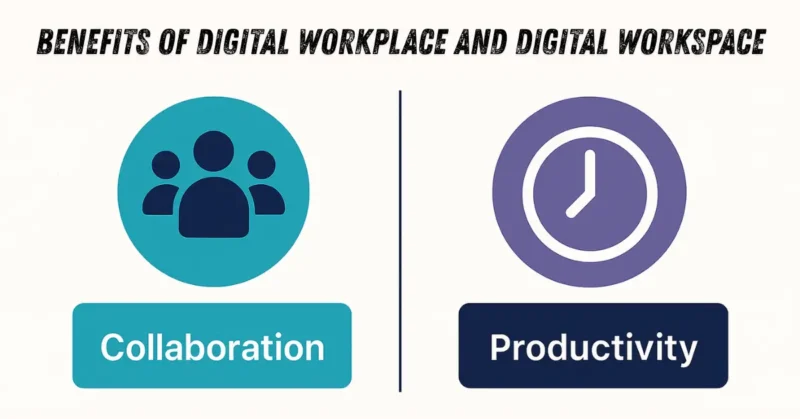
Investing correctly in either the Workplace or the Workspace brings significant dividends. Often, they work synergistically.
Benefits of Implementing a Digital Workplace
The benefits here are strategic, impacting the entire trajectory of the business.
- Boosted Collaboration
- Teams communicate in real‑time, no matter where they are. Tools like Microsoft Teams or Slack break down silos.
- Higher Employee Engagement & Retention
- When people feel heard and supported, they stay longer.
- Faster Onboarding
- New hires get instant access to training videos, policies, and team intros.
- Better Security & Compliance
- Centralized policies ensure data stays safe (e.g., automatic encryption).
- Workplace Transformation
- Shifts from “9‑to‑5 office” to a fluid, hybrid model.
GlobalBank reduced onboarding time from 2 weeks to 2 days after launching their digital workplace!
Benefits of Using a Digital Workspace
- Massive Time Savings
- No more app‑hopping! One click = everything you need.
- Enhanced Flexibility & Accessibility
- Work from a beach in Bali or your couch — your desktop travels with you.
- Personalised Experience
- Arrange apps the way you work best.
- Reduced IT Help Desk Tickets
- Employees solve issues themselves (e.g., resetting passwords).
- Scalability
- Adding new tools? Just slot them into the workspace!
DesignHub (a creative agency) cut IT support calls by 60% after deploying a digital workspace.
Choosing Between Digital Workplace and Digital Workspace
Assessing Your Organization’s Needs
Ask these questions:
For Digital Workplace:
- Do employees feel isolated?
- Are policies unclear for remote work?
- Is company culture suffering?
If YES → You need a digital workplace strategy.
For Digital Workspace:
- Do employees waste time switching between apps?
- Are passwords a nightmare?
- Is data scattered across multiple platforms?
If YES → You need a digital workspace.
Pro Tip: Most successful companies implement BOTH! The workspace lives inside the workplace.
Best Practices for Implementing Digital Workplace and Digital Workspace
For Digital Workplace:
- Involve Employees – Run surveys. Ask what they need!
- Start Small – Pilot one department first.
- Train Everyone – Regular workshops beat one‑time webinars.
- Measure Success – Track engagement scores, retention, and feedback.
For Digital Workspace:
- Choose User‑Friendly Tools – Complexity = frustration!
- Ensure Mobile Compatibility – Everyone uses phones!
- Prioritise Security – Enable MFA (Multi‑Factor Authentication).
- Test Across Devices – Make sure it works on Windows, Mac, iOS & Android.
BrightFuture Inc. started with a 4‑week pilot of their digital workspace. They fixed 3 bugs before the company‑wide rollout. Zero complaints on launch day!
Strategies for Maximizing Your Digital Investment
Investing is one thing; maximizing the return is another. Here are practical steps based on years of observing successful and struggling digital transformations.
Strategies for Building a Robust Digital Workplace
Focus on aligning people, process, and technology—in that order.
- Define Digital Ethos First: Before buying any new software, define how your team will communicate, document, and make decisions digitally. This cultural framework is essential.
- Action: Draft a “Communication Charter” outlining expected response times for emails vs. instant messages.
- Action: Secure executive buy-in for valuing output over screen time.
- Map the Entire Employee Journey: Visualize every touchpoint from onboarding to exit. Identify where current friction points (meetings that could be emails, endless status updates) exist and target those for digital restructuring.
- Action: Conduct anonymous surveys asking, “What takes the most time but adds the least value?”
- Action: Appoint cross-functional “Digital Champions” in each department to pilot new processes.
- Prioritize Security as Enablement, Not Restriction: Frame security updates (like mandatory VPN use or stronger passwords) not as hurdles, but as the necessary infrastructure protecting everyone’s ability to work flexibly.
- Action: Provide concise, one-page guides explaining why a new security measure is being implemented.
Strategies for Optimizing the Digital Workspace
Focus on integration, usability, and minimizing cognitive load for the end-user.
- Implement a Single Pane of Glass (If Possible): Strive to centralize access to the most frequently used applications, ideally through a unified portal or dashboard. This tool sprawl.
- Action: Audit the top 5 apps used by 80% of your staff and ensure they are integrated via SSO.
- Action: Remove deprecated or rarely used applications from standard provisioning lists.
- Focus on Contextual Integration: Tools should talk to each other based on the user’s current task. If an employee is viewing a customer record in the CRM, related support tickets should automatically appear in their feed.
- Action: Identify one high-value, cross-platform workflow (e.g., Sales Handoff) and dedicate IT resources to automating the data transfer.
- Gather Bite-Sized Feedback Constantly: Since the Workspace tools change frequently, feedback loops must be fast and targeted, not annual reviews.
- Action: Use in-app surveys within new tools asking a single question: “On a scale of 1-5, how easy was it to complete X task today?”
A Digital Workplace Framework
A solid framework helps ensure that the necessary cultural shifts (Workplace) are supported by the right tools (Workspace). Here is a simple, adaptable framework.
Phase 1: Assessment and Vision (The Why)
This phase establishes the course for the whole digital workplace.
- Current State Audit: Evaluate current tools, collaboration habits, and existing challenges (tool fatigue, siloed data).
- Define North Star: Establish a clear vision for what “excellent digital work” looks like in your organization (e.g., “We aim for 75% of internal communication to be asynchronous by Q4”).
- Stakeholder Alignment: Get IT, HR, and Business Unit leaders to agree on the vision and required investment.
Phase 2: Foundation Build (The Workplace Infrastructure)
This focuses on the non-negotiable elements that underpin everything.
- Establish Governance: Define clear rules for data ownership, security compliance, and tool purchasing (preventing shadow IT).
- Invest in Foundational Tech: Secure cloud infrastructure, identity management (SSO), and core communication backbones (the essential elements of the digital workplace).
- Launch Change Management Program: Begin training leaders on supportive digital leadership techniques before launching new tools.
Phase 3: Workspace Deployment and Optimization (The What)
This is where the specific tools are introduced and refined.
- Pilot Programs: Roll out new Digital Workspace tools (e.g., a new document management system) to small, enthusiastic groups first. Gather data on usability.
- Iterative Rollout: Based on pilot feedback, refine configurations, documentation, and training materials. Deploy in waves across the organization.
- Continuous Feedback Loops: Implement the bite-sized feedback mechanisms mentioned above to ensure the Workspace stays relevant as tasks evolve.
Phase 4: Culture Reinforcement and Maturation
The digital workplace succeeds or fails based on ongoing cultural reinforcement.
- Celebrate Digital Wins: Publicly recognize teams that successfully adopt new digital workflows, reinforcing the desired behaviors.
- Regular Review: Annually review the entire framework. Are the tools still serving the strategy? Does the culture support the technology?
- Future-Proofing: Dedicate a small portion of the budget to experimenting with emerging technologies (AI integration, new collaboration methods).
Choosing Between Digital Workplace and Digital Workspace
You don’t truly choose between them; you prioritize one over the other based on your organization’s maturity level and immediate pain points.
Assessing Your Organization’s Needs for Digital Workplace or Digital Workspace
Ask these diagnostic questions:
- If your teams are productive with the tools they have but constantly feel disconnected or uninformed, you need a Digital Workplace strategy.
Your tools are fine, but your culture and processes are lagging. (Focus: Culture, Communication Strategy). - If your teams are highly motivated and aligned culturally but constantly complain about slow software, broken integrations, or confusing interfaces, you need a Digital Workspace upgrade.
Your strategy is sound, but the execution tools are weak. (Focus: IT integration, Procurement, UX design).
My Observation: In mature, established companies (often larger enterprises), the biggest barrier is usually the Workplace—legacy thinking and ingrained habits resist change.
In fast-growing startups, the immediate need is often the Workspace—they need scalable, high-performance tools now to keep up with rapid growth, even if their cultural framework is still forming.
Best Practices for Implementing Digital Workplace and Digital Workspace
Success requires treating them as two interconnected projects run in tandem.
- Integrate IT and HR Roadmaps: The technology roadmap (Workspace) must directly support the talent/culture roadmap (Workplace). If HR mandates flexibility (Workplace), IT must provision mobile-friendly, secure access (Workspace).
- Mandate Documentation Standards: Agree organization-wide on where information lives (the single source of truth). This governance falls under the Workplace strategy but is executed via Workspace tools.
- Measure Adoption, Not Just Installation: Installing software is easy; ensuring people use it correctly is hard. Tie manager performance metrics to the successful adoption of new collaborative norms.
Practical Checklist: Assessing Your Digital State
Use this simple checklist to gauge where your immediate focus should lie. Score 1 (Poor) to 5 (Excellent) for each item.
| Area | Item Description | Score (1-5) | Priority (Workplace/Workspace) |
| Culture & Strategy (Workplace) | Clear, written guidelines on asynchronous communication etiquette exist. | ||
| Culture & Strategy (Workplace) | Employees feel trusted to manage their time and location effectively. | ||
| Process (Workplace) | Cross-departmental information sharing happens without excessive meetings. | ||
| Security & Governance (Workplace) | A unified Identity and Access Management (IAM) system is in place. | ||
| Tool Integration (Workspace) | Core productivity apps connect seamlessly (e.g., Calendar auto-updates tasks). | ||
| User Experience (Workspace) | Employees report minimal time spent navigating or troubleshooting daily apps. | ||
| Accessibility (Workspace) | All primary tools are fully usable on mobile devices with necessary security. | ||
| Knowledge Management (Workspace) | Finding official company documentation takes less than 60 seconds. |
Interpretation: If your overall Workplace scores are low, focus on governance, culture training, and leadership alignment before massive tool spending.
If your Workspace scores are low, prioritize IT investment in integration and user interface refinement.
What to Avoid in Digital Transformation
Missteps in this area can quickly lead to frustration, sunk costs, and employee cynicism. Here are common pitfalls to steer clear of:
1. Avoiding the Culture Conversation (The Workplace Trap)
Avoid: Buying the latest, greatest collaboration suite (a Workspace investment) and expecting cultural change (a Workplace requirement) to happen automatically.
- Why it fails: Employees will use the new tools in the old ways. You end up paying for premium software used solely for one-to-one email threading.
2. Tool Sprawl and Redundancy (The Workspace Trap)
Avoid: Letting individual departments purchase their own preferred tools without IT oversight, leading to multiple, non-integrated solutions for the same problem (e.g., three different project trackers).
- Why it fails: Data becomes siloed, security risks multiply, and employees waste time learning five similar, but different, interfaces.
3. Over-Engineering Simplicity
Avoid: Implementing overly complex, multi-layered access controls or rigid new documentation processes that slow down everyday work to a crawl.
- Why it fails: If the process feels like a compliance exercise rather than an enabler, people will find unauthorized workarounds (Shadow IT), defeating the purpose of the controlled digital workplace.
Action Plan: Moving Forward with Clarity
Let’s translate this knowledge into clear next steps. Whether you are a CEO planning a transformation or a team lead trying to optimize your team’s efficiency, start here:
Step 1: Define Your Current Primary Constraint (2 Days)
Conduct a quick internal poll: Are we struggling more with how we work together (Culture/Process – Workplace issue) or what we use to work (Tools/Access – Workspace issue)? Be honest.
Step 2: Establish One Shared Goal (1 Week)
Based on Step 1, agree with stakeholders on one measurable goal for the next quarter.
- If Workplace Focus: “Reduce reliance on status update meetings by 30%.”
- If Workspace Focus: “Reduce average time spent logging into necessary apps from 5 minutes to 1 minute.”
Step 3: Audit and Retire (Ongoing)
Launch a small audit targeting the weakest area identified in the checklist. If it’s Workspace, identify one redundant tool to decommission. If it’s Workplace, identify one core behavioral norm to actively train on.
Step 4: Communicate the Distinction (Continuous)
Start using the correct terminology internally. When announcing a new policy about meeting etiquette, call it a Digital Workplace update.
When rolling out a new unified dashboard, call it a Digital Workspace enhancement. This subtle shift reinforces strategic understanding.
Action Plan (7‑Day Launch)
Day 1–2: Research & select tools.
Day 3: Build a simple prototype.
Day 4: Run a pilot with 5–10 volunteers.
Day 5: Gather feedback & fix issues.
Day 6: Create training videos & cheat sheets.
Day 7: Full launch + celebration lunch (virtual or in‑person)!
Final Thoughts
Understanding the difference between the digital workplace (the strategic environment) and the Digital Workspace (the tactical toolset) isn’t just academic; it’s the key to avoiding wasted budget and achieving genuine employee satisfaction.
You are not just buying software; you are designing an entirely new way of operating.
Be patient with the culture, be meticulous with the tools. Every step you take toward clarity in these concepts brings you closer to creating a supportive, productive, and future-ready environment for your entire team.
Keep learning, keep adjusting, and remember that technology is there to serve your people, not the other way around.
Ready to align your tools with your vision? Start by scheduling an internal review session focused only on mapping out your current communication culture.
Let us know in the comments: Which term (Workplace or Workspace) currently causes the most confusion on your team?
Read more Health and Balance articles.
You might like: